AI Video Generator from Text: 7 Best Tools & Complete Guide (2026)
- 5 min read
Introduction: The Revolution of Text to Video
Finding a reliable AI video generator from text has completely changed how digital creators, filmmakers, and businesses produce visual content. In the past, creating a ten-second realistic video clip required expensive cinema cameras, complex 3D rendering engines, lighting technicians, and hours of post-production. Today, typing a descriptive prompt into an advanced AI video generator from text turns your written vision into photorealistic motion in just a few minutes.
Whether you want to build social media campaigns, concept art for films, or educational reels, these AI systems analyze descriptive words—such as lighting, camera angle, motion dynamics, and art style—and translate them directly into frame-by-frame motion. In this in-depth guide, we explore the top text-to-video tools available in 2026, breaking down their strengths, pricing, and exact workflow.
How Does an AI Video Generator from Text Work?
Modern text-to-video artificial intelligence relies on diffusion models paired with spatial-temporal transformers. When you submit your prompt, the neural network evaluates two core dimensions simultaneously:
- Spatial Diffusion: The model generates the composition, subjects, textures, and color grading for each individual frame.
- Temporal Consistency: The transformer tracks movement across time, ensuring that characters, clothing, and background environments do not morph unnaturally between frames.
By blending linguistic comprehension with visual physics, an AI video generator from text interprets nuanced cinematographic terminology—such as "anamorphic lens flare," "shallow depth of field," and "aerial tracking shot"—to deliver realistic video sequences.
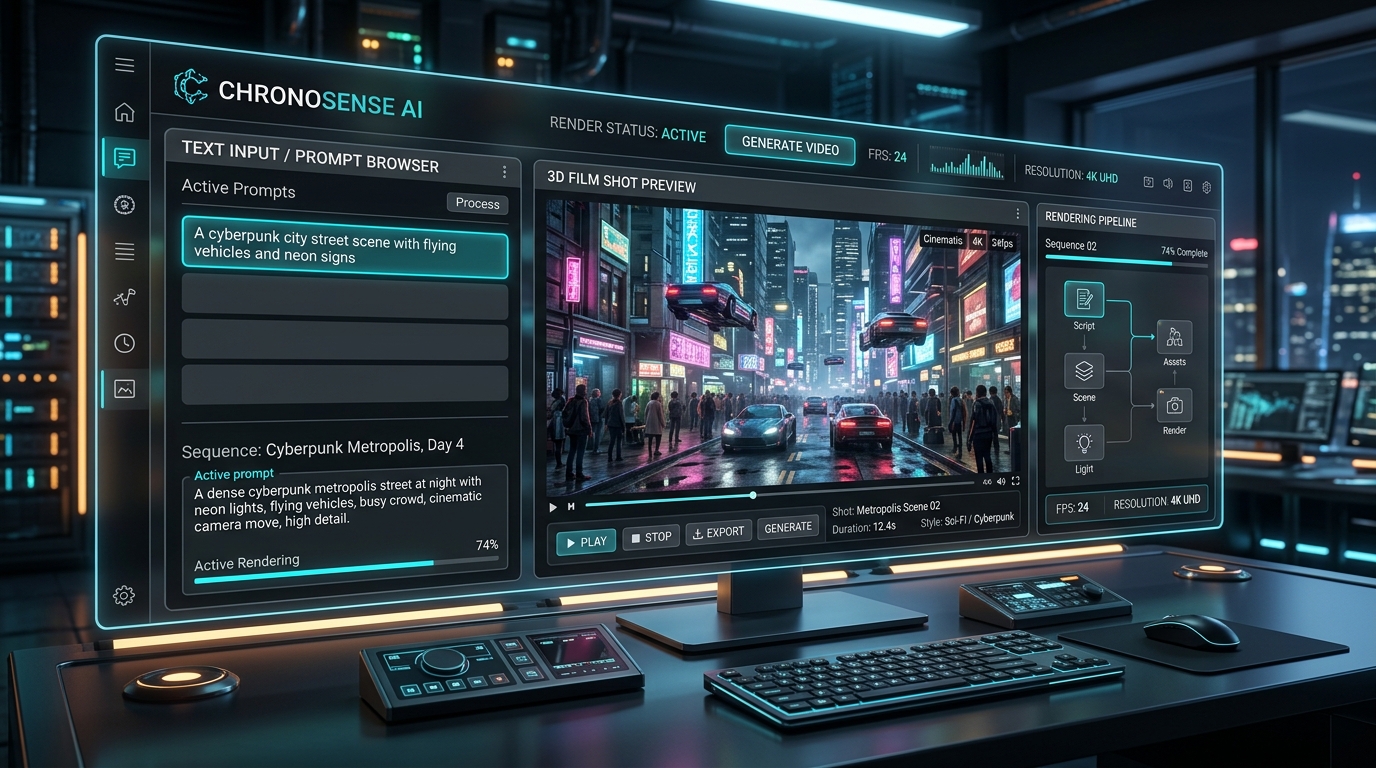
Modern AI video generator from text timeline and prompt control dashboard in action.
The 7 Best AI Video Generator from Text Tools in 2026
The marketplace has evolved rapidly over the past two years. Here are the leading platforms evaluated on visual coherence, motion control, and rendering speed:
1. Runway Gen-3 Alpha
Runway remains an industry standard for cinematic directors. With Gen-3 Alpha, text-to-video fidelity achieves unmatched realism in human anatomy, expressive facial emotions, and camera control. Its motion brush lets users designate specific areas of a prompt for targeted movement.
- Best For: High-end cinematic sequences and commercial storytelling.
- External Resource: Try it out on RunwayML official platform.
2. Luma Dream Machine
Luma AI's Dream Machine has earned praise for hyper-fast rendering and realistic camera pans. It preserves lighting continuity across moving scenes with minimal temporal flickering, making it ideal for fast iteration.
3. Kling AI
Kling AI excels at rendering long, coherent clips (up to 10 seconds in a single prompt pass) with realistic human movement, accurate physics, and complex object interactions like liquids pouring or fabric fluttering.
4. OpenAI Sora
OpenAI's benchmark system demonstrated the power of physical world simulation in video generation. Sora handles intricate multi-character interactions and deep background perspective shifts with extreme photorealism.
5. Pika 2.0
Pika provides a creator-friendly interface featuring specialized effects—including inflate, melt, crush, and explode—alongside solid text-to-video rendering. Learn more about writing prompts in our Prompt Library.
6. Haiper AI
Haiper offers an accessible freemium tier with simple motion controls, making it popular for marketers and solo social media creators testing the waters of AI video generation.
7. Minimax Hailuo AI
Minimax has rapidly gained traction for producing human expressions with lifelike charm, rendering natural eye reflections, mouth movements, and micro-gestures directly from simple text inputs.
Comparison of Leading Text-to-Video Generators
| Tool | Key Strength | Max Clip Length | Best Use Case |
|---|---|---|---|
| Runway Gen-3 | Camera motion & visual depth | 10 seconds | Cinematic films & VFX |
| Luma Dream Machine | Lighting consistency & speed | 5 seconds | Fast concept art & B-roll |
| Kling AI | Complex physics simulation | 10 seconds | Dynamic human motion |
| Pika 2.0 | Special effects & audio sync | 4 seconds | Social media & memes |
How to Write Prompts for an AI Video Generator from Text
A great text-to-video output begins with a structured prompt. Writing random sentences often results in vague motion or distorted physics. Use this 4-part prompting architecture:
- Subject Specification: Clearly define who or what is on screen (e.g., "A vintage red sports car driving down a coastal highway").
- Camera Motion: Detail how the camera moves (e.g., "Low-angle tracking shot, sweeping pan right, cinematic drone descent").
- Lighting and Atmosphere: Set the visual tone (e.g., "Golden hour sunset reflections, soft volumetric haze, anamorphic lens flares").
- Motion Dynamics: Describe temporal pacing (e.g., "Smooth slow motion at 60fps, subtle wind blowing through roadside trees").
You can generate ready-to-use creative ideas with our AI Content Generator to accelerate your storytelling workflow.
Pro Tips for High-Definition Results
To avoid common generation artifacts and maximize output fidelity when using an AI video generator from text, keep these rules in mind:
- Avoid crowded scenes initially: Diffusion models struggle with tracking more than two primary subjects simultaneously. Keep the core focal point clear.
- Specify framerate and resolution: Terms like "4K UHD, 24fps film cadence" guide models that have been fine-tuned on cinematic datasets.
- Use negative prompts: Filter out unwanted distortions by adding tags like "no morphing, no jittery limbs, no blurry background artifacts."
Frequently Asked Questions
Can I use AI generated videos commercially?
Most commercial providers (including Runway, Luma, and Kling paid tiers) grant full commercial usage rights for all rendered videos. Always check individual platform terms before using clips in paid advertisements.
What is the ideal clip length for text to video?
Most text-to-video engines perform best in 4- to 10-second intervals. Stitching multiple 5-second clips together in an editor produces far superior narrative continuity compared to attempting a single long generation.
Conclusion
Selecting the right AI video generator from text depends on whether your priority is photorealism, speed, or stylized animation. By combining thoughtful prompt parameters with the best generator for your niche, you can turn any imaginative story into broadcast-quality video. Browse more creative resources in our articles section to stay ahead of the curve.