AI Video Generator Without Watermark: 6 Clean Export Tools (2026)
- 4 min read
Introduction: The Search for Clean Video Exports
Nothing ruins a polished client pitch, YouTube Short, or commercial presentation faster than a giant, distracting logo stamped across the corner of your video. Finding a high-quality AI video generator without watermark is essential for creators who need clean, broadcast-ready footage without advertising another company's software.
While most free trials deliberately burn watermarks onto renders to force upgrades, several forward-thinking platforms and open-source models allow clean, unbranded exports right from the start. In this comprehensive guide, we examine the best watermark-free AI video solutions in 2026, comparing their export resolutions, licensing terms, and real-world costs.
Why Watermarks Matter for Creators and Businesses
Using an AI video generator without watermark is not just about aesthetics; it directly impacts your credibility and engagement:
- Algorithm Penalties: Social media algorithms on Instagram Reels and TikTok explicitly suppress videos featuring visible third-party logos and watermarks.
- Professional Credibility: Clients and commercial partners expect unbranded assets that integrate cleanly into their corporate visual identity.
- Seamless Editing: Watermarks complicate post-production color grading, overlaying titles, and compositing VFX elements into your timeline.
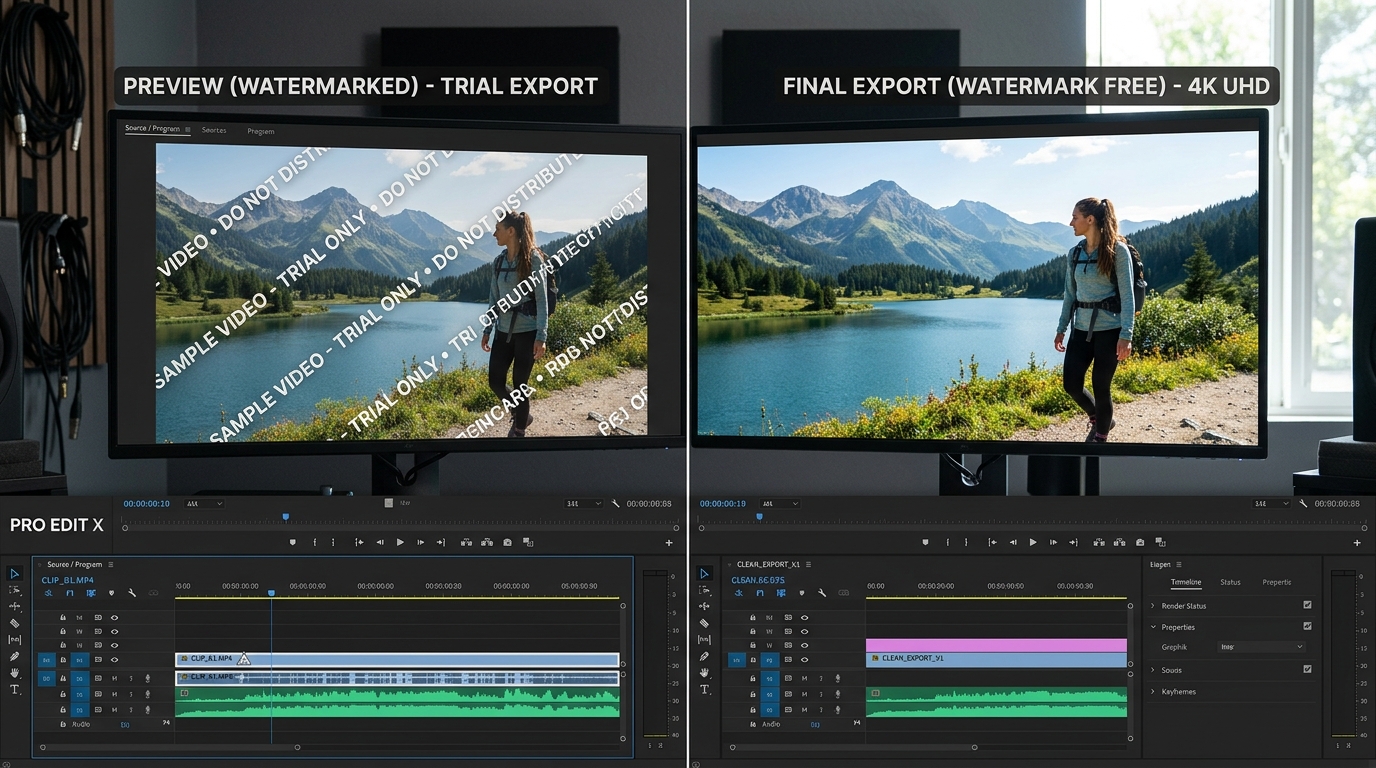
Visual comparison of watermarked trial preview versus a pristine watermark-free final export.
The 6 Best AI Video Generator Without Watermark Options
1. Kling AI (Subscription & Promotion Tiers)
Kling AI's basic creator tier (often priced under $10) unlocks 1080p full high-definition exports with zero watermarks. Kling produces some of the most cohesive human motion and physical simulations currently available.
2. Runway Gen-3 (Standard & Unlimited Plans)
While Runway's free trial includes a discreet watermark, upgrading to their entry plan completely eliminates branding from all renders. Users gain access to 4K upscaling, custom camera controls, and motion brushes. Visit RunwayML for plan details.
3. Stable Video Diffusion (Completely Free & Open Source)
If you have access to a desktop computer with a dedicated NVIDIA GPU (such as an RTX 3060 or higher), Stable Video Diffusion can be run locally via ComfyUI or WebUI. Because the model runs entirely on your local machine, it is 100% free, private, and has zero watermarks forever.
4. Luma Dream Machine Creator Tier
Luma AI offers a direct toggle to disable watermarks on paid tiers. Renders feature crisp lighting and swift camera movements, perfect for quick commercial B-roll generation.
5. Haiper AI Creator Plan
Haiper offers an accessible pricing model where paid subscribers export pristine 1080p clips without any branding overlays. Its simple controls make it a favorite for fast turnaround social media assets.
6. CapCut Desktop AI Integration
CapCut's desktop editor features built-in AI video generation modules that allow clean video exports without watermarks when logged into a standard free account, provided you stay within their free asset parameters.
Comparison of Watermark-Free Video Generators
| Tool | Watermark Status | Resolution | Commercial License |
|---|---|---|---|
| Stable Video Diffusion | 100% Watermark Free (Local) | Up to 1080p native | Open-weights license |
| Runway Gen-3 Standard | Clean Exports (Paid) | 4K Upscaled | Full Commercial Rights |
| Kling AI Creator | Clean Exports (Paid) | 1080p HD | Full Commercial Rights |
| Luma Dream Machine | Clean Exports (Paid) | 1080p HD | Full Commercial Rights |
Clever Workarounds to Remove Watermarks Legally
If you are on a strict budget and need to use a trial version before committing to a subscription, consider these practical techniques:
- Slight Crop & Reframe: Most free watermarks sit in the extreme bottom-right corner. Generating your video in 16:9 and cropping 5% on each side often removes the badge cleanly without losing central framing.
- Over-Under Masking in Video Editors: If you are creating social media shorts, place your custom captions or lower-third text banner over the watermarked corner to mask it naturally.
- Use Generative Inpainting: Modern editing tools like DaVinci Resolve Studio and Premiere Pro feature content-aware fill to erase static corner logos seamlessly.
To avoid wasting generations, always refine your creative concepts with our AI Content Generator and reference curated templates in our Prompt Library.
Frequently Asked Questions
Is it illegal to remove watermarks from free AI video trials?
It depends on the platform's terms of service. Removing a watermark for personal experimentation is generally benign, but using cropped free-trial renders in commercial advertisements may violate the provider's user agreement. Investing in a low-cost subscription is the safest option for commercial projects.
Which tool gives the cheapest watermark-free exports?
Local Stable Video Diffusion is 100% free if you have an NVIDIA GPU. For cloud platforms, Kling AI and Haiper offer the most affordable entry-level subscriptions for clean, watermark-free downloads.
Conclusion
Choosing an AI video generator without watermark ensures your visual storytelling remains sleek, professional, and uninhibited by corporate logos. Whether you run open-source models locally or leverage budget-friendly creator tiers, clean exports give your videos the polish they deserve. Explore more actionable video production guides in our articles hub.