AI Video Tools: Create Videos Online with Artificial Intelligence
- 14 min read
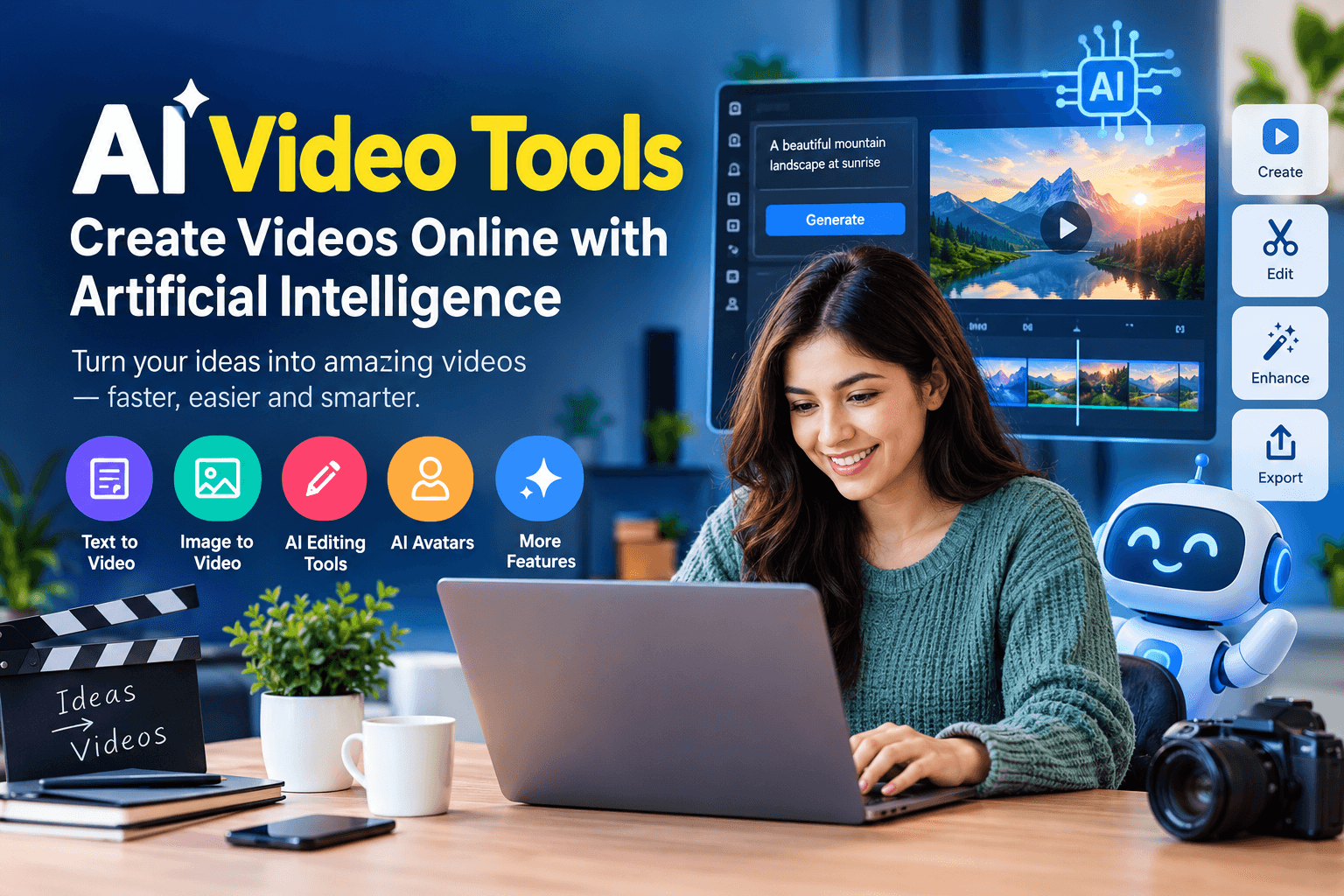
AI video tools are changing the way people create videos. In the past, making a professional video often required a camera, editing software, special equipment, and many hours of work. Today, artificial intelligence can help turn text, images, and simple ideas into videos with less effort.
Whether you are a content creator, student, business owner, or marketer, AI video tools can help you produce video content for different purposes. You can use them to create YouTube videos, social media clips, product demonstrations, training videos, and animated stories.
Many AI video makers work directly in a web browser. Some allow you to enter a text prompt and generate a video, while others help you edit existing footage, add subtitles, create voiceovers, or remove unwanted parts.
In this guide, you will learn what AI video tools are, how they work, which features to look for, and how to use them to create better videos.
What Are AI Video Tools?
AI video tools are software applications that use artificial intelligence to create, edit, or improve video content. They can perform tasks that usually require manual editing or specialized video production skills.
For example, you can write a short description of a scene, and an AI video generator may create a video based on your instructions. You can also upload a video and use AI to add captions, improve the sound, or change its format.
AI video tools are available for beginners and experienced creators. Some focus on creating realistic scenes from text, while others are designed for business presentations, social media content, or video editing.
The main goal of these tools is to make video production faster and easier. However, the quality of the result depends on the tool, the instructions you provide, and the type of video you want to create.
How Do AI Video Tools Work?
AI video tools use different artificial intelligence models to understand instructions, process visual information, and generate or edit video content.
The exact process depends on the software, but most AI video makers follow a few basic steps.
1. Enter Your Idea
Start by describing the video you want to create. You can write a simple prompt such as:
"A golden retriever running through a green forest on a sunny morning, cinematic camera movement, realistic lighting."
Some tools also allow you to upload an image, video clip, script, or audio file.
2. AI Processes Your Instructions
The software analyzes your prompt and identifies details such as the subject, location, action, visual style, and camera movement.
A text to video tool uses this information to create a sequence of images that form a moving video. Other tools may use your uploaded footage as the starting point for editing.
3. Generate or Edit the Video
The AI creates a video, modifies an existing clip, or produces an editable project. Depending on the platform, you may be able to select the video length, aspect ratio, resolution, or visual style.
Some tools produce short clips rather than complete videos. You may need to combine several clips to create a longer story.
4. Review and Export
After generation, review the result carefully. Check whether the movement looks natural, the subject remains consistent, and the video matches your original idea.
You can then make changes, add music or captions, and export the final video if the platform supports it.
Types of AI Video Tools
Different AI video tools are designed for different tasks. Understanding these categories can help you select the right software for your project.
Text to Video Generators
Text to video tools create video clips from written descriptions. You enter a prompt, and the AI generates a scene that matches your instructions.
These tools are useful for creating cinematic clips, visual stories, concept videos, and creative content.
For example, you could describe a futuristic city at night, a person walking through a snowy village, or a fantasy creature flying over mountains.
The results may vary between generations, so you might need to adjust your prompt or generate several versions to get the desired result.
Image to Video Tools
Image to video tools turn still images into moving clips. You upload a photograph, illustration, or AI generated image and describe how you want it to move.
For example, you can upload an image of a mountain landscape and ask the AI to create moving clouds, flowing water, or a slow camera zoom.
This type of tool is helpful for social media posts, animated photographs, product visuals, and storytelling.
AI Video Editing Tools
AI video editors help improve existing video footage. They can automate tasks such as cutting clips, removing pauses, creating subtitles, adjusting the background, or finding important moments.
Some tools can also convert long videos into shorter clips for social media.
These features are useful for creators who record interviews, tutorials, podcasts, or online classes and want to reduce editing time.
AI Avatar and Talking Head Tools
AI avatar tools create digital presenters who can speak a written script. Some platforms allow you to choose an avatar, enter text, and generate a video with synchronized speech.
Businesses often use these tools for product explanations, employee training, customer support videos, and presentations.
Before using an avatar that resembles a real person, make sure you have the necessary permission.
AI Animation Tools
AI animation tools help create animated characters, scenes, and visual effects. Some can animate drawings, while others generate cartoon style clips from text or images.
These tools can support educational videos, short stories, promotional content, and creative projects.
Their character movements and visual consistency may vary, especially when generating several scenes.
Best AI Video Tools to Explore
There are several AI video platforms worth exploring. Each has a different focus, and the best choice depends on the type of content you want to produce.
AI Video Tool | Main Use |
|---|---|
Runway | AI video generation and creative editing |
OpenAI Sora | Generating video from prompts and visual references, where available |
Google Veo | AI video generation and cinematic scene creation |
Kling AI | Text to video and image to video generation |
Pika | Creative video generation and visual effects |
Synthesia | AI avatar presentations and training videos |
InVideo AI | Script based video creation and editing |
CapCut | Video editing, captions, and AI assisted features |
Features, pricing, access, and usage limits can change. Some tools offer free trials or limited free usage, while others require a paid plan for certain features or higher quality exports.
Before choosing a platform, check its current availability in your country, commercial use terms, and export restrictions.
Benefits of Using AI Video Tools
AI video tools offer several advantages for people who want to create video content.
Faster Video Production
AI can automate parts of the video creation process. Tasks such as generating short clips, creating captions, or producing a basic presentation may take less time than doing everything manually.
This can help creators publish content more regularly.
Beginner Friendly Video Creation
You do not always need advanced editing skills to use an AI video maker. Many platforms provide simple interfaces where you can enter text, upload media, and select a style.
This makes video creation more accessible to students, small businesses, and new creators.
Lower Production Costs
Some AI tools reduce the need for expensive equipment, large editing teams, or professional actors for certain projects.
However, AI video production is not always free. High quality generation, longer videos, and commercial features may require a subscription.
More Creative Options
AI can help you test different visual styles, camera angles, backgrounds, and scene ideas.
For example, you can create several versions of a product video and compare which one works best for your audience.
Content Repurposing
AI editing tools can help turn one long video into several shorter clips.
A recorded tutorial, interview, or podcast can become multiple social media videos with captions and different formats.
How to Use AI Video Tools to Create a Video
You can follow these steps to create a simple video with an AI video generator.
Step 1: Choose a Video Topic
Decide what your video will be about and who will watch it.
For example, your topic could be a travel destination, a product demonstration, a nature story, or a short educational lesson.
A clear topic makes it easier to plan the scenes.
Step 2: Write a Video Script
Prepare the main message or story before generating the video.
For a short social media video, you might use this structure:
- Opening: Introduce an interesting question or visual.
- Main content: Show the important information or story.
- Ending: Finish with a useful message or clear conclusion.
If your video includes narration, write the voiceover separately so it matches the length of the scenes.
Step 3: Create Detailed Prompts
Write a separate prompt for each scene.
A useful AI video prompt includes:
- Subject: Who or what appears in the scene?
- Action: What is happening?
- Location: Where does the scene take place?
- Visual style: Realistic, animated, cinematic, or another style.
- Camera movement: Wide shot, close up, tracking shot, or slow zoom.
- Lighting: Bright daylight, soft lighting, or dramatic shadows.
For example:
"An old wooden boat moving slowly across a calm lake at sunrise, mountains in the background, soft golden light, realistic water reflections, wide cinematic shot, gentle camera movement."
Clear instructions can help the AI understand your idea, although they do not guarantee perfect results.
Step 4: Generate Your Video Clips
Enter your prompts into the selected AI video tool.
If the tool supports image references, upload an image to help guide the appearance of the subject or scene.
Generate the clips and review them before moving to the next stage. If a scene looks incorrect, simplify the prompt or change the camera movement.
Step 5: Edit the Video
Combine the generated clips in a video editor.
Add narration, music, captions, transitions, and other elements that improve the story.
Make sure the video does not contain unnecessary pauses or confusing scene changes.
Step 6: Export in the Right Format
Choose the format that matches your publishing platform.
For example, vertical video is commonly used for TikTok, Instagram Reels, and YouTube Shorts. Horizontal video is often suitable for standard YouTube videos and presentations.
Check the platform's current resolution and aspect ratio requirements before exporting.
AI Video Tools for Different Users
AI video tools can support many types of projects. Here are some practical ways different users can use them.
For YouTube Creators
YouTube creators can use AI video generators to produce background scenes, visual explanations, story clips, and creative introductions.
AI editing tools can also help create captions and short clips from longer videos.
For videos based on stories, generate a scene plan first. Keep the main characters, clothing, and visual style consistent across the different clips.
For Social Media Marketers
Marketers can use AI tools to create product videos, advertisements, promotional clips, and short campaign content.
For example, an online store could generate a simple product scene, add text explaining the product's features, and prepare versions for different social media platforms.
Always review the content before publishing, especially when it includes product claims.
For Students and Teachers
Students can use AI video tools to create presentations, explain concepts, and prepare visual learning materials.
Teachers may use them to create short lessons, animated examples, or training videos.
The generated information should be checked for accuracy, especially when the video covers science, history, health, or other factual subjects.
For Small Businesses
Small businesses can use AI video tools to create promotional videos, explain services, introduce products, and prepare customer instructions.
These tools may help businesses produce basic videos without hiring a full production team for every project.
A human review is still important to make sure the video represents the business correctly.
Tips for Getting Better Results From AI Video Generators
The quality of your prompts and editing decisions can make a noticeable difference.
Keep Prompts Clear
Avoid adding too many unrelated ideas to one prompt.
Instead of describing several locations, characters, and actions at once, focus on one main scene.
For example, a prompt about a person walking through a forest is easier to manage than a prompt asking for a person, a dragon, a waterfall, a village, and a battle in the same short clip.
Use Consistent Character Descriptions
If you are creating a story with the same character in multiple scenes, describe the character in a consistent way.
Include details such as clothing, hair, age range, and important visual features.
Where supported, use reference images or character features to help maintain consistency.
Generate Short Scenes First
Short clips are often easier to review and replace than long generated videos.
Create separate scenes, check their quality, and combine them after you are satisfied with the results.
Review Every Video
AI generated videos can contain visual errors, unnatural movements, distorted objects, or incorrect details.
Check faces, hands, text, background objects, and scene transitions.
Do not assume that a generated video is ready to publish without reviewing it.
Add Your Own Creative Work
AI can help with production, but your own ideas are what make the content useful and interesting.
Add original narration, thoughtful editing, clear information, or a unique story rather than publishing raw generated clips without a purpose.
Limitations of AI Video Tools
Although AI video tools can be useful, they also have limitations.
Visual errors: Generated videos may contain unusual movements, inconsistent faces, or objects that change shape.
Limited control: Some tools may not follow every instruction, especially complex camera movements or detailed character actions.
Generation limits: Free plans may restrict the number of videos, length of clips, resolution, or export options.
Processing time: Video generation can take time, particularly for longer or more detailed clips.
Copyright and permissions: Generated content may include elements that require careful review. You should also check the platform's terms before using videos commercially.
Privacy: Avoid uploading private recordings, personal information, or confidential business footage unless you understand how the platform handles that data.
These limitations do not make AI video tools useless. They simply mean that human review and editing remain important parts of the process.
How to Choose the Right AI Video Tool
Before selecting an AI video maker, consider the following questions.
What to Check | Why It Matters |
|---|---|
Video generation | Does it create videos from text, images, or existing footage? |
Ease of use | Can you use it without advanced editing skills? |
Video quality | Does the output match your required visual style? |
Export options | Does it support your preferred resolution and format? |
Pricing | Are free credits, subscriptions, or export fees involved? |
Commercial rights | Are you allowed to use the generated content for your intended project? |
Availability | Does the tool work in your country and on your device? |
If you are a beginner, start with a tool that has a simple interface and lets you test a few short clips.
If you need business presentations, look for tools that focus on avatars, narration, and editable layouts.
For cinematic videos or creative storytelling, prioritize video generation quality, image references, and control over camera movement.
Frequently Asked Questions
What are AI video tools used for?
AI video tools are used to generate videos from text or images, edit existing footage, create captions, produce talking avatars, and make video production easier. They can support social media content, educational videos, advertisements, and creative storytelling.
Can I create videos with AI for free?
Yes, some AI video tools offer free plans, trial credits, or limited free generation. However, free access may include restrictions on video length, resolution, usage, or downloads. Check the current terms of each platform before starting.
Do I need video editing skills to use AI video tools?
No. Many AI video makers are designed for beginners. You can create a video by entering a prompt or uploading an image. Basic editing skills can still help you improve the final result.
Which AI video tool is best for beginners?
The best option depends on your goal. A simple AI editor may be suitable for social media clips, while a text to video generator may be better for creating original scenes. Try a few short projects before paying for a subscription.
Can AI video tools create long videos?
Some tools can help create longer videos, but many text to video generators produce short clips. You may need to generate multiple scenes and combine them in a video editor to make a complete video.
Are AI generated videos suitable for commercial use?
Some platforms allow commercial use under specific conditions, while others have restrictions. Review the current licensing terms, especially if you are creating advertisements, client videos, or content for a business.
Conclusion
AI video tools provide a practical way to create, edit, and improve videos with the help of artificial intelligence. They can help beginners produce visual content, support businesses with promotional videos, and give creators more ways to develop their ideas.
The best results come from choosing a tool that fits your project, writing clear prompts, and reviewing each generated clip before publishing.
Start with a simple video idea, test a few AI video tools, and learn which features work best for your needs. With careful planning and creative editing, AI can become a useful part of your video production process.