Cinematic Video Prompts: How to Create Stunning AI Videos
- 23 min read
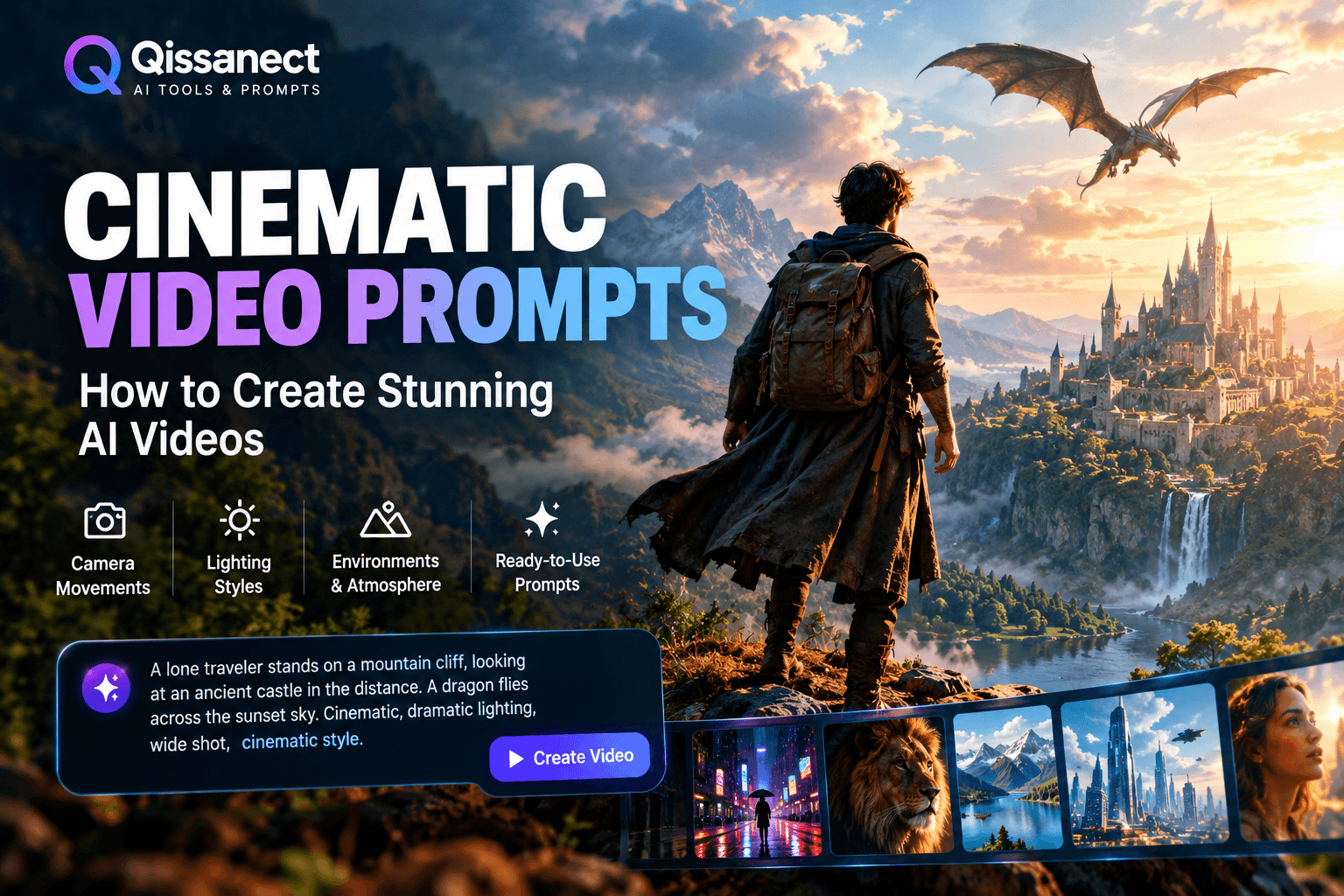
Cinematic video prompts help you turn simple ideas into videos that look like scenes from a movie. Whether you want to create dramatic action scenes, beautiful landscapes, emotional stories, or fantasy adventures, the right prompt can help an AI video generator produce more detailed and visually appealing results.
Many creators use cinematic video prompts for YouTube Shorts, TikTok videos, Instagram Reels, short films, advertisements, and storytelling projects. These prompts describe the subject, setting, lighting, camera movement, atmosphere, and action in a scene.
For example, instead of asking an AI tool to create a video of a man walking through a forest, you can describe a mysterious forest covered in morning fog, sunlight passing through tall trees, and a slow tracking shot following the man from behind.
This extra detail gives the video generator clearer creative direction.
In this guide, you will learn how cinematic video prompts work, how to write them, and how to use ready made examples to create engaging AI videos.
What Are Cinematic Video Prompts?
Cinematic video prompts are written instructions that tell an AI video generation tool how a scene should look and move.
They go beyond describing an object or character. They explain the visual style, camera angle, lighting, movement, environment, and mood of a scene.
A strong prompt might describe a warrior standing on a mountain during a thunderstorm. It can also specify a slow camera push, dark clouds, lightning in the background, realistic armor, and dramatic movie lighting.
These details help guide the AI toward a particular visual result.
Cinematic video prompts can be used with text to video tools and image to video generators. Some tools also support reference images, camera controls, and other settings that help creators achieve a more consistent look.
Why Are Cinematic Prompts Important?
The quality of your instructions can affect the quality of the generated video. A short prompt may work for a simple scene, but a complex cinematic sequence often benefits from more precise descriptions.
Good prompts can help you:
- Create more realistic environments and characters.
- Guide camera movements and framing.
- Set a clear mood with lighting and color.
- Make short stories feel more connected.
- Create videos for social media and YouTube.
- Reduce unwanted objects or confusing scene details.
- Develop a recognizable visual style for your content.
However, a detailed prompt does not guarantee a perfect result. Different AI models interpret instructions differently, so you may need to test and improve your prompts.
How to Write Effective Cinematic Video Prompts
You do not need professional filmmaking experience to write a useful cinematic prompt. Start with a clear scene and add details in a logical order.
1. Describe the Main Subject
Begin by explaining what the viewer should see.
Your subject might be a detective, a dragon, a farmer, a racing car, a wild animal, or a futuristic city.
Be specific about important visual details.
Basic prompt:
A dragon flying over a forest.
Improved prompt:
A massive emerald dragon with detailed scales and wide wings flies above a dense tropical forest, its shadow moving across the treetops as mist rises from the jungle below.
The improved version gives the AI more information about the dragon, its appearance, and the environment.
2. Choose the Environment
The setting helps establish the story and atmosphere.
Think about where the scene takes place and what surrounds the subject. It could be a rainy city street, a snowy mountain, an abandoned castle, a peaceful village, or a futuristic space station.
You can also describe the weather, time of day, and background activity.
For example:
A lone traveler walks across a deserted desert at sunset. Fine sand moves across the ground, distant mountains appear through the heat haze, and the orange sky slowly darkens.
This description gives the scene a clear visual identity.
3. Add Cinematic Camera Movements
Camera movement can make an AI video feel more dynamic. Choose a movement that supports the action instead of adding too many movements to one shot.
Camera movement | Best use |
|---|---|
Slow push in | Emotional moments and dramatic reveals |
Tracking shot | Following a walking or running character |
Dolly out | Revealing a large environment |
Aerial shot | Showing landscapes and cityscapes |
Orbit shot | Presenting a character or object |
Low angle shot | Making a subject appear powerful |
Pan shot | Revealing details across a scene |
Handheld movement | Creating a raw, documentary feel |
Slow motion | Highlighting an important action |
Static shot | Creating tension or a calm atmosphere |
For example:
A cinematic tracking shot follows a young explorer walking through an ancient temple. Dust floats in the sunlight, and the camera moves slowly behind the character as a massive stone doorway appears ahead.
A clear camera instruction is usually more useful than a long list of unrelated camera movements.
4. Use Lighting to Create Mood
Lighting is one of the most important parts of cinematic video prompts.
Different lighting styles create different feelings. Warm sunlight can make a scene feel peaceful, while cold blue lighting can create a mysterious atmosphere.
Useful lighting descriptions include:
- Golden hour lighting: Warm, soft sunlight near sunrise or sunset.
- Low key lighting: Dark scenes with controlled areas of light.
- Volumetric lighting: Visible beams of light passing through fog, dust, or smoke.
- Neon lighting: Bright colored lights in futuristic or nighttime environments.
- Soft diffused lighting: Gentle light with fewer harsh shadows.
- Backlighting: Light coming from behind the subject to create separation from the background.
Example prompt:
A detective stands in a dark room beside a rain covered window. Blue city lights reflect on the glass, a warm desk lamp illuminates half of his face, and deep shadows create a tense cinematic atmosphere.
5. Explain the Action Clearly
AI video generators need to interpret what happens during a shot. Describe one main action and, if needed, a small number of supporting movements.
Instead of writing:
A warrior fights monsters in a dark forest.
Try:
A warrior raises his shield as a shadowy creature emerges between the trees. Leaves scatter across the forest floor, the warrior steps backward, and the camera slowly moves closer to his face.
The second prompt gives the AI a more specific sequence of events.
For complex action, divide the story into several short shots instead of describing an entire film in one prompt.
6. Select a Visual Style
Your visual style should match the type of video you want to create.
For realistic storytelling, use descriptions such as natural skin texture, realistic materials, physically believable movement, and natural environmental details.
For fantasy, consider dramatic landscapes, glowing magical effects, unusual creatures, and atmospheric lighting.
For a science fiction scene, describe futuristic architecture, advanced technology, holographic displays, and controlled neon lighting.
You can also use terms such as cinematic color grading, shallow depth of field, realistic motion blur, and detailed textures when they fit the scene.
Remember that technical phrases are guidance, not guarantees. The final result depends on the AI model and its capabilities.
20 Best Cinematic Video Prompts for AI Video Generators
The following examples are ready to adapt for your creative projects. You can use them with compatible text to video or image to video tools.
1. Cinematic Rainy City at Night
Best for: Atmospheric videos, intros, and urban storytelling.
Prompt:
Create a realistic cinematic video of a busy city street at night during heavy rain. Neon signs reflect across the wet pavement as pedestrians walk beneath transparent umbrellas. Cars pass slowly through the intersection, creating gentle splashes of water. Use a smooth tracking shot at street level, shallow depth of field, realistic reflections, moody blue and amber lighting, and detailed urban textures. Maintain natural movement and a film like visual style.
2. A Hero Walking Through Fire
Best for: Action shorts and dramatic character introductions.
Prompt:
A fearless hero wearing battle damaged armor walks slowly through a burning city street at dusk. Small embers float through the air, flames illuminate the ruined buildings, and smoke rises into a dark orange sky. The camera moves backward in front of the hero, maintaining focus on the determined expression. Use dramatic backlighting, realistic fire behavior, detailed armor textures, subtle slow motion, and cinematic color grading.
3. Dragon Flying Over a Fantasy Kingdom
Best for: Fantasy films and AI storytelling channels.
Prompt:
A gigantic black dragon with enormous leathery wings flies above an ancient medieval kingdom surrounded by towering mountains. Clouds move around the castle towers as villagers look toward the sky. The camera begins with a wide aerial view and smoothly tracks alongside the dragon as it passes over the royal castle. Use realistic wing movement, atmospheric fog, dramatic sunlight breaking through the clouds, detailed stone architecture, and epic fantasy cinematography.
4. A Lonely Man Walking Through a Forest
Best for: Emotional storytelling and mystery videos.
Prompt:
A lonely man wearing a weathered brown jacket walks through a dense forest covered in morning fog. Tall trees surround the narrow path, and soft sunlight passes through the branches. The camera follows him from behind with a slow tracking movement. Fallen leaves shift beneath his feet, mist moves gently between the trees, and the atmosphere feels quiet and mysterious. Use natural lighting, realistic textures, subtle camera motion, and cinematic depth of field.
5. Cinematic Ocean Waves
Best for: Nature videos and relaxing visual content.
Prompt:
Powerful ocean waves roll toward a rugged coastline during sunset. White foam spreads across dark rocks while sea spray rises into the air. The camera glides slowly above the water before moving toward the cliffs. Warm sunlight reflects on the ocean surface, distant clouds move across the horizon, and the scene feels peaceful yet powerful. Use realistic water physics, natural colors, wide cinematic framing, and smooth camera movement.
6. Futuristic City in the Year 2200
Best for: Science fiction shorts and futuristic storytelling.
Prompt:
A futuristic megacity stretches across the horizon at night, filled with towering glass skyscrapers, illuminated skybridges, flying vehicles, and holographic advertisements. The camera travels smoothly between the buildings before revealing a massive central tower. Blue and purple lights reflect across metallic surfaces while distant traffic moves through the sky. Use detailed futuristic architecture, realistic atmospheric perspective, controlled neon lighting, and cinematic science fiction visuals.
7. Emotional Scene Between a Mother and Child
Best for: Family stories and emotional short films.
Prompt:
A mother kneels in a quiet village courtyard and embraces her young child after a long day apart. Soft afternoon sunlight falls across their faces while a gentle breeze moves the fabric of their clothes. The camera slowly pushes in toward the embrace, capturing natural expressions and small movements. Use warm color grading, realistic skin texture, subtle background activity, soft shadows, and intimate cinematic framing.
8. A Warrior Entering an Ancient Temple
Best for: Adventure stories and historical fantasy.
Prompt:
An armored warrior enters an enormous ancient temple hidden deep inside a mountain. Massive stone pillars rise into darkness, carved symbols cover the walls, and shafts of sunlight illuminate floating dust. The camera follows the warrior from behind before slowly revealing a mysterious statue at the center of the chamber. Use realistic stone textures, atmospheric lighting, controlled camera movement, and a sense of scale and discovery.
9. Cinematic Car Chase
Best for: Action videos and automotive content.
Prompt:
A black sports car races through a winding mountain road during a stormy evening. Water sprays from the tires as the vehicle moves around sharp corners. The camera tracks alongside the car before switching to a low front three quarter angle. Headlights cut through the mist, the road reflects the surrounding lights, and distant mountains remain visible in the background. Use realistic vehicle motion, believable tire contact, controlled motion blur, and dramatic cinematic lighting.
10. A Village at Sunrise
Best for: Travel videos and peaceful storytelling.
Prompt:
A small mountain village wakes at sunrise, with stone houses surrounded by green fields and distant snow covered peaks. Thin smoke rises from chimneys as villagers begin their morning activities. The camera slowly moves above the rooftops and reveals the valley beyond. Golden sunlight illuminates the mountains, light fog drifts through the fields, and the scene uses natural colors, realistic environmental motion, and wide cinematic composition.
11. A Spacecraft Approaching an Alien Planet
Best for: Science fiction films and space adventures.
Prompt:
A large exploration spacecraft approaches a mysterious alien planet covered in purple oceans, towering mountains, and glowing atmospheric clouds. The camera moves slowly around the spacecraft, revealing its metallic surface and illuminated engines. Stars remain visible behind the planet while soft light reflects from the atmosphere. Use detailed spacecraft design, believable movement in space, cinematic scale, and realistic lighting.
12. A Detective Investigating an Abandoned House
Best for: Thriller shorts and mystery stories.
Prompt:
A detective enters an abandoned house at midnight, holding a small flashlight. Dust covers the furniture, peeling wallpaper hangs from the walls, and rain taps against broken windows. The camera follows slowly from behind as the detective notices a half open door at the end of the hallway. The flashlight beam moves across the walls, shadows shift naturally, and the atmosphere becomes increasingly tense. Use low key lighting, realistic textures, and restrained handheld camera movement.
13. A Giant Waterfall in a Jungle
Best for: Nature documentaries and adventure videos.
Prompt:
A massive waterfall crashes into a turquoise pool deep inside a tropical jungle. Dense green plants surround the rocks, mist rises above the water, and sunlight creates soft rays through the canopy. The camera glides forward from above the treetops before slowly descending toward the waterfall. Use realistic water movement, detailed vegetation, natural lighting, and a wide cinematic composition.
14. A Superhero Landing on a Rooftop
Best for: Superhero inspired stories and action shorts.
Prompt:
An original armored superhero lands on the rooftop of a modern skyscraper during a thunderstorm. Rain splashes across the concrete as the hero rises from a crouched position and looks toward the distant skyline. The camera begins close to the ground and slowly tilts upward to reveal the character. Use dramatic lightning, detailed costume materials, believable body movement, realistic rain, and powerful cinematic framing.
15. A Desert Caravan at Sunset
Best for: Historical adventures and travel storytelling.
Prompt:
A caravan of travelers and camels crosses a vast desert beneath a glowing orange sunset. Wind moves fine sand across the dunes as long shadows stretch across the landscape. The camera follows from a high aerial angle before descending toward the caravan. Distant mountains appear through the dusty atmosphere, and warm sunlight illuminates the travelers. Use realistic sand movement, natural animal motion, detailed clothing, and epic cinematic scenery.
16. A Spaceship Interior Before Launch
Best for: Science fiction storytelling.
Prompt:
Inside a futuristic spacecraft, a pilot prepares for launch in a cockpit filled with illuminated control panels and transparent navigation displays. Small indicator lights blink while the pilot adjusts the controls and looks toward the forward window. The camera slowly pushes in from behind the pilot's shoulder. Cool blue lighting, detailed machinery, realistic reflections, subtle vibration, and restrained camera motion create a believable cinematic atmosphere.
17. A Lost Puppy in a Rainy Forest
Best for: Emotional animal stories and YouTube Shorts.
Prompt:
A small golden puppy wanders alone along a muddy forest path during light rain. Its fur is slightly wet, its ears move as it listens to distant sounds, and water droplets fall from nearby leaves. The camera follows at the puppy's eye level as it pauses beside a fallen tree and looks into the distance. Use realistic animal movement, soft natural lighting, detailed fur, subtle environmental motion, and an emotional cinematic mood.
18. A Magical Door Opening in the Mountains
Best for: Fantasy adventures and visual effects content.
Prompt:
An ancient stone doorway stands between two enormous mountain cliffs. Glowing symbols gradually appear across its surface as a traveler approaches. The door slowly opens, revealing a bright mystical landscape beyond it. The camera moves forward toward the opening while mist flows around the stone steps. Use detailed stone textures, controlled magical particles, dramatic volumetric lighting, and a cinematic fantasy style.
19. A Farmer Working in the Golden Fields
Best for: Rural storytelling and documentary style videos.
Prompt:
A farmer walks through a golden wheat field during early morning, carrying a bundle of freshly harvested crops. Gentle wind moves through the wheat while distant birds cross the sky. The camera tracks beside the farmer before widening to reveal the surrounding farmland. Warm sunlight creates soft highlights, clothing moves naturally, and the scene uses realistic agricultural details, natural colors, and documentary inspired cinematography.
20. A Cinematic Sunrise Over Snowy Mountains
Best for: Travel content, motivational videos, and scenic backgrounds.
Prompt:
The first sunlight of the morning reaches the peaks of a vast snow covered mountain range. Clouds drift slowly between the mountains while soft golden light spreads across the icy landscape. The camera glides forward through the valley and gradually rises above the clouds to reveal the distant peaks. Use realistic atmospheric depth, detailed snow textures, natural lighting, and smooth cinematic movement.
Cinematic Video Prompts for Different Content Types
Not every video needs the same visual approach. Choosing prompts based on your content type can help you develop a more consistent style.
Cinematic Prompts for YouTube Shorts
YouTube Shorts often benefit from a clear visual hook in the opening seconds. Begin with a striking action, unusual subject, dramatic reveal, or emotional moment.
Example:
A mysterious hooded figure stands alone on a narrow bridge above a fog covered river. A distant bell rings, birds rise suddenly from the trees, and the figure slowly turns toward the camera. Use a gradual push in, soft backlighting, detailed clothing, and a tense cinematic atmosphere.
For vertical content, specify a 9:16 aspect ratio when the tool supports it. Keep important subjects near the center so they remain visible on mobile screens.
Cinematic Prompts for Horror Videos
Horror scenes often rely on suspense, limited visibility, unusual sounds, and slow reveals.
Example:
A woman walks through a dark abandoned hospital corridor while a flickering ceiling light reveals damaged doors and dusty medical equipment. A shadow briefly moves at the far end of the hallway. The camera follows her slowly from behind, with restrained handheld movement, deep shadows, realistic textures, and cold cinematic lighting.
Avoid revealing everything immediately. A gradual visual reveal can create more tension than constant action.
Cinematic Prompts for Fantasy Videos
Fantasy videos work well with strong environments, unusual creatures, and a clear sense of scale.
Example:
A young mage stands on a cliff overlooking an ancient kingdom surrounded by floating islands. A glowing staff illuminates the character's hands while enormous birds circle distant towers. The camera slowly orbits the mage before revealing the landscape. Use detailed fantasy architecture, atmospheric fog, dramatic lighting, and realistic movement.
Cinematic Prompts for AI Advertisements
Advertisements should make the product easy to recognize. Use simple backgrounds, controlled lighting, and a camera movement that draws attention to the product.
Example:
A premium black wristwatch rests on a polished dark stone surface. A narrow beam of light moves slowly across its metallic edges, revealing the dial and fine craftsmanship. The camera performs a smooth close up orbit while subtle reflections move across the glass. Use clean product cinematography, realistic materials, sharp focus on the watch, and elegant studio lighting.
For commercial projects, verify that the AI tool and any assets you use are permitted for your intended use.
A Simple Formula for Creating Your Own Cinematic Video Prompts
You can create new prompts by combining a few important elements in a clear order.
Prompt formula:
Subject + Action + Environment + Camera Movement + Lighting + Visual Style + Atmosphere
Here is an example using the formula.
- Subject: A lone knight wearing silver armor.
- Action: Walking toward a ruined castle.
- Environment: A rocky valley covered in fog.
- Camera movement: Slow tracking shot from behind.
- Lighting: Cold morning light with soft rays.
- Visual style: Realistic fantasy cinematography.
- Atmosphere: Mysterious, quiet, and dramatic.
Combined prompt:
A lone knight wearing detailed silver armor walks toward a ruined castle in a rocky valley covered in fog. The camera follows from behind in a slow tracking shot as cold morning light passes through the mist. Use realistic armor textures, natural movement, soft volumetric lighting, and a mysterious cinematic atmosphere.
This formula works for many subjects, including people, animals, vehicles, landscapes, and imaginary worlds.
Master Prompt Template
Use this template whenever you want to generate a new scene.
Copy and customize:
Create a cinematic AI video showing [MAIN SUBJECT] performing [MAIN ACTION] in [ENVIRONMENT]. The scene takes place during [TIME OF DAY AND WEATHER]. Use [CAMERA ANGLE AND MOVEMENT] to capture the action. Lighting should be [LIGHTING STYLE], with [COLOR PALETTE] and realistic shadows. Include [IMPORTANT ENVIRONMENTAL DETAILS]. Use [VISUAL STYLE], natural movement, detailed textures, and a clear sense of depth. Maintain a consistent subject appearance throughout the shot. Avoid unnecessary scene changes, distorted objects, and distracting background elements. Output in [ASPECT RATIO] if supported.
Replace the bracketed text with details that match your idea. Keep the instructions focused on what the viewer should see.
How to Maintain Character Consistency Across Multiple Scenes
Character consistency is important when you create AI stories with several shots. A character may look different between generated clips if its appearance is not described clearly or the model does not preserve reference details.
Follow these steps to improve consistency.
Create a Character Description
Write down the character's important features before generating the first scene.
For example:
Character: A young explorer with short dark hair, a weathered brown jacket, a green backpack, dark trousers, and worn hiking boots.
Use the same description whenever the character appears. Avoid changing clothing colors, age, hairstyle, or other identifying details without a story reason.
Use Reference Images When Available
Some AI video tools let you upload an image to guide the character's appearance. A reference image can help the model retain important visual features across clips.
If the tool supports character references, reuse the same reference for every scene involving that character.
Generate Separate Shots
Instead of creating a long video with many events, divide the story into short, focused shots.
For example:
- The explorer enters the forest.
- The explorer notices strange footprints.
- The explorer follows the trail.
- The explorer discovers an abandoned cabin.
- The explorer opens the cabin door.
Generate each shot separately, then edit the clips together. This provides more control over the story and makes it easier to replace a scene that does not look right.
Common Mistakes to Avoid When Writing Cinematic Video Prompts
Even a creative idea can produce disappointing results if the instructions are unclear.
Adding Too Many Actions to One Prompt
A single prompt that describes running, jumping, fighting, flying, and changing locations can be difficult for a video model to interpret.
Better approach: Focus on one main action per shot. Create additional clips for the remaining events.
Using Contradictory Instructions
A prompt that asks for a completely static camera and a fast moving camera at the same time may produce an inconsistent result.
Choose one main camera approach and add only supporting movements that make sense.
Ignoring the Background
A strong subject description is useful, but the setting also matters. Describe the important background elements, weather, and lighting so the scene feels complete.
Overusing Cinematic Keywords
Words such as cinematic, epic, ultra realistic, and masterpiece cannot replace clear scene instructions.
Instead of repeating these terms, explain what is visible, how the subject moves, and how the camera captures the scene.
Forgetting the Video Format
A wide cinematic landscape and a vertical social media video may need different framing.
Choose the intended aspect ratio before generating the clip when the tool provides that option. For Shorts and Reels, vertical 9:16 framing is commonly used.
Expecting Perfect Results in One Attempt
AI video generation is often an iterative process. You may need to adjust the prompt, shorten the action, change the camera movement, or provide a reference image.
Generate a few versions and compare them before deciding which clip best fits your project.
How to Use Cinematic Video Prompts With AI Video Tools
The exact process depends on the tool, but most text to video workflows follow a similar pattern.
Step 1: Choose an AI video generator.
Select a tool that supports the type of video you want to make. Check whether it supports text to video, image to video, vertical output, reference images, and the clip length you need.
Step 2: Write your prompt.
Describe the subject, action, environment, camera movement, lighting, and visual style. Keep the scene focused.
Step 3: Select the video settings.
Choose the aspect ratio, duration, resolution, and other available settings. Not every generator offers the same controls.
Step 4: Generate the video.
Review the result for visual quality, motion, framing, and consistency.
Step 5: Improve the prompt.
If the character moves unnaturally, simplify the action. If the background looks empty, add a few specific environmental details. If the camera moves too quickly, describe a slow and steady movement.
Step 6: Edit the final clip.
Combine your best shots using a video editor. Add voiceover, music, sound effects, captions, and transitions when appropriate.
For longer stories, plan the shots before generating the video. This makes it easier to keep the visual style consistent.
Frequently Asked Questions
What are cinematic video prompts?
Cinematic video prompts are detailed text instructions that guide an AI video generator in creating scenes with specific subjects, actions, camera movements, lighting, and visual styles.
How do I make AI videos look cinematic?
Describe the scene clearly, choose a suitable camera movement, specify lighting and atmosphere, and keep the main action simple. You can also use reference images and consistent visual descriptions where supported.
Which cinematic video prompts are best for beginners?
Start with simple scenes such as a person walking through a forest, a car driving along a mountain road, or sunlight moving across a landscape. These scenes allow you to practice camera movement and lighting without too many complex actions.
Can I use cinematic video prompts for YouTube Shorts?
Yes. Cinematic video prompts can help you create short stories, dramatic introductions, fantasy scenes, nature clips, and other visual content for YouTube Shorts. Use vertical framing when supported and make the opening shot visually engaging.
How long should a cinematic video prompt be?
There is no fixed word count. A useful prompt may be a few sentences long, depending on the complexity of the scene. Include the most important visual details without adding instructions that conflict with each other.
Can I turn an image into a cinematic video?
Yes. Image to video tools can animate a still image by adding camera movement, environmental motion, or subject movement. Describe what should move and what should remain stable. The results depend on the tool and the source image.
How can I keep the same character in every scene?
Use a consistent character description, reuse reference images if supported, and generate each scene with the same important visual details. You may still need to review and correct differences between clips.
Are cinematic video prompts free to use?
Writing prompts is free, but generating videos may require paid credits or a subscription, depending on the tool. Check the pricing and usage terms of your chosen AI video generator.
Conclusion
Cinematic video prompts make it easier to turn creative ideas into engaging AI generated scenes. By describing the subject, action, environment, camera movement, lighting, and atmosphere, you give the AI a clearer direction for producing your desired result.
Start with simple scenes and experiment with different camera angles, lighting styles, and visual details. Use separate prompts for complex sequences, maintain consistent character descriptions, and refine the results until the clips match your creative goal.
Whether you are creating YouTube Shorts, fantasy adventures, horror scenes, nature videos, or short films, a well structured prompt can help you develop better visual stories.
Explore more AI video prompt ideas and creative GPT tools on Qissanect.com to plan your next video project and build your own cinematic style.