AI Shorts Maker: Create YouTube Shorts with AI Online
- 14 min read
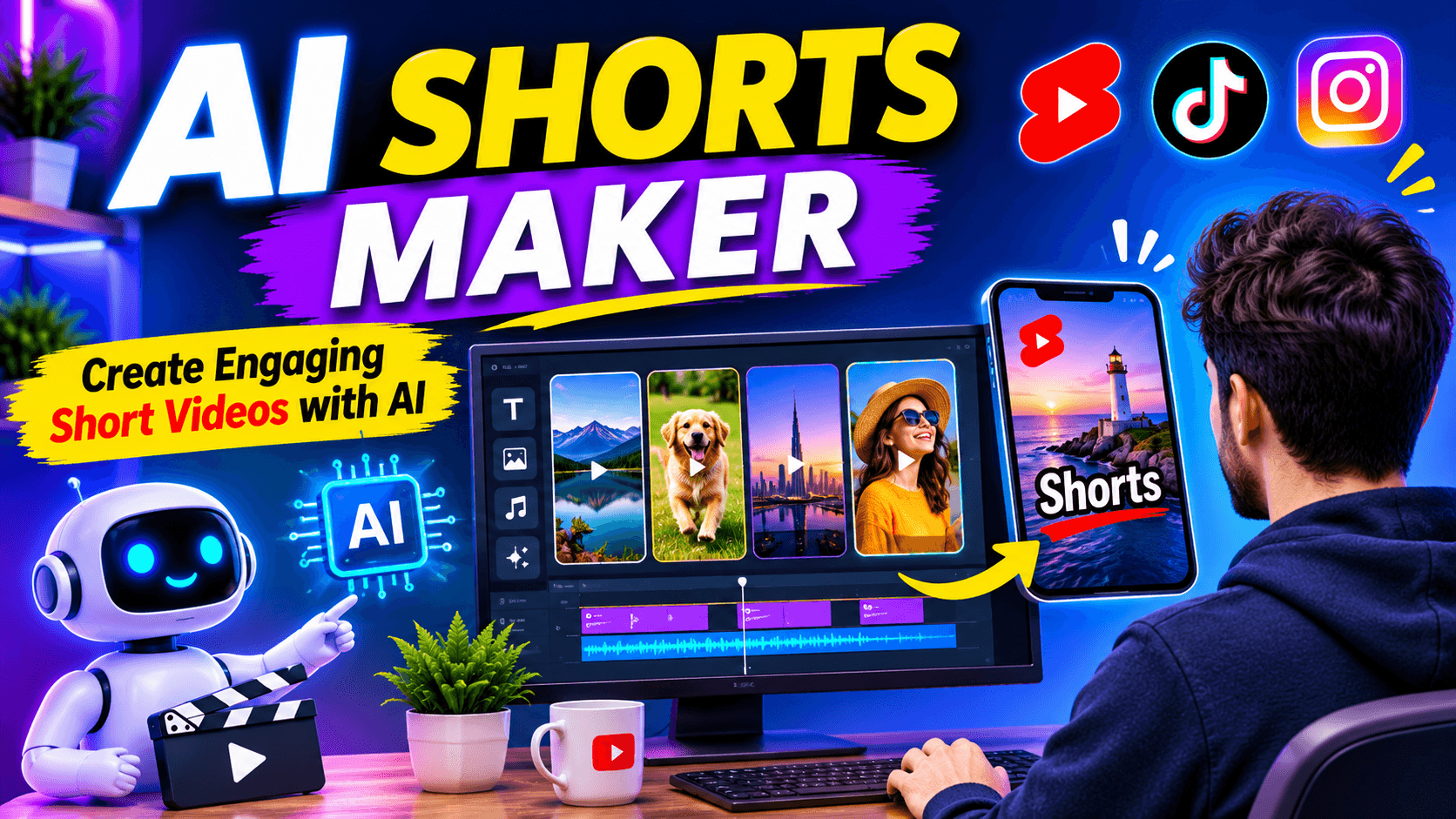
Short videos have become a popular way to share information, entertain viewers, and promote businesses online. YouTube Shorts, Instagram Reels, and TikTok allow creators to reach audiences through quick and engaging videos. However, making these videos regularly can take time, especially when scripting, editing, adding subtitles, and finding suitable footage.
An AI Shorts Maker makes this process easier by using artificial intelligence to create short videos from text, ideas, scripts, or existing footage. Instead of spending hours editing every scene, creators can use AI to generate video drafts, select highlights, add voiceovers, and create captions.
Whether you are a YouTube creator, social media marketer, business owner, or beginner, an AI Shorts Maker can help you produce short-form content without advanced editing skills.
In this guide, you will learn how AI Shorts Makers work, how to create videos with them, which features matter, and how to choose a suitable tool for your content.
What Is an AI Shorts Maker?
An AI Shorts Maker is a video creation tool that uses artificial intelligence to produce short-form videos with less manual editing.
You can provide a written idea, paste a script, upload an existing video, or sometimes share a video URL. The AI then processes your input and helps create short clips with suitable visuals, captions, transitions, and voiceovers.
For example, imagine you have a blog post about artificial intelligence. Instead of manually creating a video from the beginning, you can provide the article to an AI Shorts Maker. It may turn the main points into a short script, arrange relevant visuals, add narration, and prepare a video for social media.
Some tools focus on creating completely new videos, while others are designed to find interesting moments in longer recordings.
This makes AI Shorts Makers useful for people who want to create content for YouTube Shorts, Instagram Reels, TikTok, and other short-video platforms.
How Does an AI Shorts Maker Work?
Most AI Shorts Makers use a combination of artificial intelligence technologies to simplify video production. Their exact workflow depends on the platform and the features included.
Here are the main steps involved.
1. Enter a Topic or Upload a Video
The first step is providing content. You can enter a topic, paste a written script, upload a video, or use a supported video link.
For example, you might enter "Five interesting facts about the ocean" to create a short educational video.
2. Generate or Extract Content
If you provide an idea, the AI may develop a short script and organize it into scenes.
If you upload a longer video, the tool can analyze its transcript and identify sections that may work as independent clips.
This is especially useful for podcasts, interviews, webinars, tutorials, and recorded presentations.
3. Add Visuals and Voiceovers
Depending on the tool, AI can select stock footage, generate visuals, add animations, or use the original video.
Some platforms also provide AI voiceovers in different languages and speaking styles. This is helpful for creators who do not want to record their own narration.
4. Generate Subtitles
Automatic subtitles convert spoken words into text and display them on the screen.
Many tools also provide animated caption styles, highlighting, and text customization.
5. Edit and Export
Before publishing, review the generated video. Change scenes, adjust captions, remove unnecessary parts, and correct any mistakes.
Finally, export your video in a suitable format for your preferred social media platform.
How to Create YouTube Shorts Using an AI Shorts Maker
You do not need professional video editing experience to get started. Follow this simple process to create your first short video.
Step 1: Choose Your Video Topic
Start with one clear idea. Avoid trying to explain several unrelated subjects in a single short video.
Some useful content ideas include:
- Interesting facts and general knowledge
- Technology tips and tutorials
- Motivational messages
- Travel destinations
- Educational explanations
- Product demonstrations
- Short stories and entertainment
Choose a subject that your intended audience wants to watch.
Step 2: Write a Short Script
Prepare a script that delivers the main information quickly.
Start with an interesting opening, explain the main point, and finish with a useful conclusion or call to action.
For example:
Topic: Three Interesting Facts About Space
Opening: Did you know that space has some truly surprising secrets?
Fact 1: A day on Venus is longer than its year.
Fact 2: There are more stars in the observable universe than grains of sand on many beaches.
Fact 3: Space is almost completely silent because sound needs a medium to travel.
Ending: Which fact surprised you the most?
You can write your own script or use the AI script generation feature if your chosen platform supports it.
Step 3: Select an AI Shorts Maker
Choose a tool based on the type of video you want to produce.
For example, a text-to-video tool is useful when creating a new video from an idea. A video clipping tool is more suitable when you already have long recordings and want to extract highlights.
Step 4: Generate Your Short Video
Enter your script or upload your footage. Select the available video style, aspect ratio, voice, and subtitle settings.
Allow the AI to prepare the initial video.
Step 5: Customize Your Video
Check whether the selected visuals match the narration. Adjust the captions, remove unnecessary scenes, and improve the timing.
A little manual editing can make a noticeable difference in the final result.
Step 6: Download and Publish
Export your video and prepare it for your selected platform.
Add a relevant title, description, and suitable hashtags. Check the final video on a mobile screen before publishing.
Best AI Shorts Maker Tools to Explore
There are several AI-powered platforms that help creators produce short-form videos. Each offers a different approach, so the right choice depends on your requirements.
1. InVideo AI
InVideo AI provides an AI YouTube Shorts generator that creates videos from simple text prompts.
You can provide an idea and let the platform help with script generation, visual selection, voiceovers, subtitles, sound effects, and editing.
It also offers a library of stock media and options for modifying generated videos.
Useful for:
- Creating faceless YouTube Shorts
- Turning text prompts into videos
- Generating voiceovers and subtitles
- Creating short promotional videos
Website: https://invideo.io/make/ai-youtube-shorts-generator/
2. Canva AI Shorts Maker
Canva offers AI-powered video creation alongside its existing design and editing features.
Its AI Shorts Maker helps users create short-form videos and customize the results through its video editor.
Creators can adjust designs, add text, use transitions, and prepare videos for social media.
Useful for:
- Designing attractive social media videos
- Creating branded short content
- Customizing video layouts
- Adding graphics and text
Website: https://www.canva.com/features/ai-shorts-maker/
3. Short AI
Short AI focuses on automated short-video production. It offers workflows for faceless videos and converting longer recordings into shorter clips.
The platform supports different video styles, AI-generated scripts, voiceovers, subtitles, and publishing features.
It also provides templates for storytelling, dialogue videos, and other social media formats.
Useful for:
- Creating faceless videos
- Turning ideas into short content
- Repurposing longer recordings
- Producing videos with AI voices
Website: https://www.short.ai/
4. Vizard AI
Vizard AI is especially useful for creators who already have long videos and want to turn them into short clips.
It analyzes uploaded recordings and identifies potentially interesting moments. Users can then customize clips, add captions, adjust framing, and export the finished videos.
Its features also include automatic subtitles, translation, and templates.
Useful for:
- Converting podcasts into Shorts
- Extracting highlights from interviews
- Repurposing webinars and tutorials
- Creating vertical clips from horizontal videos
Website: https://vizard.ai/tools/youtube-video-editor/youtube-shorts-maker
AI Shorts Maker vs Traditional Video Editing
Both approaches can produce good videos, but they offer different workflows.
Feature | AI Shorts Maker | Traditional Video Editing |
|---|---|---|
Video creation | AI-assisted automation | Mostly manual |
Script preparation | Some tools generate scripts | Usually prepared separately |
Captions | Often automatic | Often require manual setup |
Video clipping | AI can identify highlights | Manual selection |
Voiceovers | AI voices may be available | Usually recorded or imported |
Editing control | Depends on the tool | Detailed manual control |
Learning requirements | Beginner friendly | Can require more experience |
An AI Shorts Maker is useful when you want to reduce repetitive work. Traditional editing may be preferable when you need precise control over every scene and transition.
You can also combine both methods by generating a first draft with AI and polishing it in a regular video editor.
What Types of Videos Can You Create with an AI Shorts Maker?
An AI Shorts Maker can support many content formats. Here are some practical ideas.
Educational Shorts
Create quick explanations about science, technology, history, geography, and general knowledge.
Use simple language and relevant visuals to make information easier to understand.
Faceless YouTube Shorts
You can create videos without appearing on camera. Use AI narration, background footage, animations, and subtitles to explain your topic.
This approach works well for educational facts, storytelling, tutorials, and informational content.
Podcast Highlights
If you have a long podcast recording, an AI clipping tool can help identify interesting discussions and turn them into separate short videos.
Make sure each clip has enough context to make sense on its own.
Business and Marketing Videos
Businesses can create product demonstrations, promotional clips, service explanations, and short advertisements.
Keep the message focused and clearly explain the value of the product or service.
Motivational Videos
Combine original motivational messages with relevant visuals, narration, and readable captions.
Avoid using copied speeches or copyrighted footage without permission.
Travel and Lifestyle Videos
Create short videos featuring destinations, travel tips, food, and lifestyle ideas.
Relevant footage and clear narration can make these videos more informative.
Important Features to Look for in an AI Shorts Maker
Not every tool offers the same features. Before selecting a platform, check the following capabilities.
Text to video: Allows you to create video scenes from written prompts or scripts.
Automatic clipping: Identifies interesting moments in longer recordings and extracts short clips.
AI voiceovers: Provides generated narration without recording your own voice.
Automatic subtitles: Converts speech into readable captions.
Vertical video support: Helps prepare content in the appropriate format for short-video platforms.
Custom templates: Provides ready-made layouts for different types of content.
Video resizing: Makes it easier to adapt content for YouTube, Instagram, and TikTok.
Brand customization: Allows you to add logos, fonts, colors, and other brand elements.
Multiple language support: Helps creators produce videos for audiences who speak different languages.
Export quality: Check available resolution, download limits, and watermark restrictions.
Choose features based on your actual workflow instead of paying for options you may never use.
Tips to Make Better AI Generated Shorts
Using AI does not automatically make a video interesting. The content still needs a clear message and good presentation.
Here are some practical ways to improve your results.
Start with an Interesting Hook
The opening seconds matter. Begin with a surprising fact, an interesting question, or a problem that viewers want to understand.
Avoid lengthy introductions.
Keep One Main Idea in Each Video
Do not overload a short video with too much information. Explain one topic clearly and save additional details for another video.
Use Clear and Relevant Visuals
Choose visuals that match your narration. If you are explaining a technology concept, unrelated nature footage can confuse viewers.
Make Subtitles Easy to Read
Use clear fonts, appropriate text sizes, and good contrast. Keep captions synchronized with the audio.
Choose a Suitable Voice
The narration should sound natural and match the subject. Test different voices before selecting one for your channel.
Add Your Own Creative Input
Edit the generated script, replace unsuitable visuals, and include original examples. Your creative contribution helps distinguish your content from generic AI videos.
Check the Final Video
Review the complete video before publishing. Check spelling, audio levels, scene transitions, factual accuracy, and licensing permissions.
Common Mistakes to Avoid When Making AI Shorts
Beginners sometimes focus too much on generating videos and forget about quality.
Avoid these mistakes:
- Publishing AI videos without reviewing them.
- Using unrelated visuals and background music.
- Writing long introductions that delay the main point.
- Adding too much text to the screen.
- Using unnatural AI voices.
- Copying other creators' scripts and videos.
- Ignoring copyright and commercial usage rights.
- Publishing repetitive videos with little original value.
Remember that AI is a production assistant. Your ideas, editing decisions, and understanding of your audience still matter.
Can You Make AI Shorts for Free?
Yes, some AI Shorts Makers provide free plans or limited free access. However, the available features vary between platforms.
A free plan may include limited video generation, monthly credits, restricted export quality, watermarks, or limited access to premium templates.
Before choosing a tool, check its pricing information and understand the limitations.
If you are a beginner, start with a free version and test its video quality. Upgrade only when you need additional features or higher usage limits.
Can AI Shorts Makers Help Grow a YouTube Channel?
AI Shorts Makers can make content production more manageable by reducing the time needed for scripting, clipping, subtitles, and editing.
They can also help creators repurpose existing videos into shorter content.
However, using AI does not guarantee more views, subscribers, or income. Channel growth depends on the usefulness of your content, audience interest, storytelling, video quality, and consistency.
Creators should also follow YouTube's monetization and originality policies. Mass-produced or repetitive content without meaningful original value may not qualify for monetization.
The best approach is to use AI to improve your production workflow while keeping your content original and valuable.
Frequently Asked Questions
1. What is the best AI Shorts Maker?
The best tool depends on your needs. InVideo AI is useful for generating videos from text prompts, Canva offers design and editing features, Short AI supports faceless video creation and automation, while Vizard AI focuses on turning longer videos into short clips.
2. Can I create YouTube Shorts using AI?
Yes. You can use AI tools to prepare scripts, generate visuals, create voiceovers, add subtitles, and edit short videos before uploading them to YouTube.
3. Can an AI Shorts Maker create videos from text?
Yes. Many AI Shorts Makers support text-based video creation. You can enter a topic or script and let the tool generate scenes, narration, and other video elements.
4. Can I turn a long video into multiple Shorts?
Yes. Some AI clipping tools analyze long recordings and identify sections that may work as separate short videos. You can review and edit the selected clips before publishing.
5. Do I need editing experience to use an AI Shorts Maker?
No. Many platforms are designed for beginners and provide automatic video generation, templates, captions, and simple editing controls.
6. Can I make faceless Shorts with AI?
Yes. You can create faceless videos using AI narration, stock footage, generated visuals, animations, and subtitles without recording yourself.
7. Can I use AI Shorts for Instagram and TikTok?
Yes. Many tools support multiple aspect ratios and export formats. You can adapt your videos for Instagram Reels, TikTok, and YouTube Shorts.
8. Are AI generated Shorts eligible for YouTube monetization?
AI-generated videos can be eligible for monetization if they follow YouTube's monetization policies. Creators should focus on original, authentic, and useful content rather than repetitive or mass-produced uploads.
9. How long should an AI generated Short be?
The ideal length depends on the subject and storytelling. A short video should be long enough to deliver its message without unnecessary sections. Focus on viewer interest rather than filling a specific duration.
Final Thoughts
An AI Shorts Maker can make short-video production easier for beginners, businesses, and experienced content creators. From creating videos using text prompts to extracting highlights from long recordings, these tools offer different ways to reduce manual editing.
The best tool is the one that fits your content style and gives you enough control over the final result.
Start with a simple topic, create a short video, review the output, and improve it before publishing. Most importantly, focus on original ideas and useful information.
AI can help you create videos faster, but good storytelling and valuable content are what give viewers a reason to watch.